
How to Use Telegram Without Your Own Phone Number
Jump to a section
- Quick choice: which option fits?
- Using Telegram without a phone number: what do you actually need?
- How to hide your phone number on Telegram
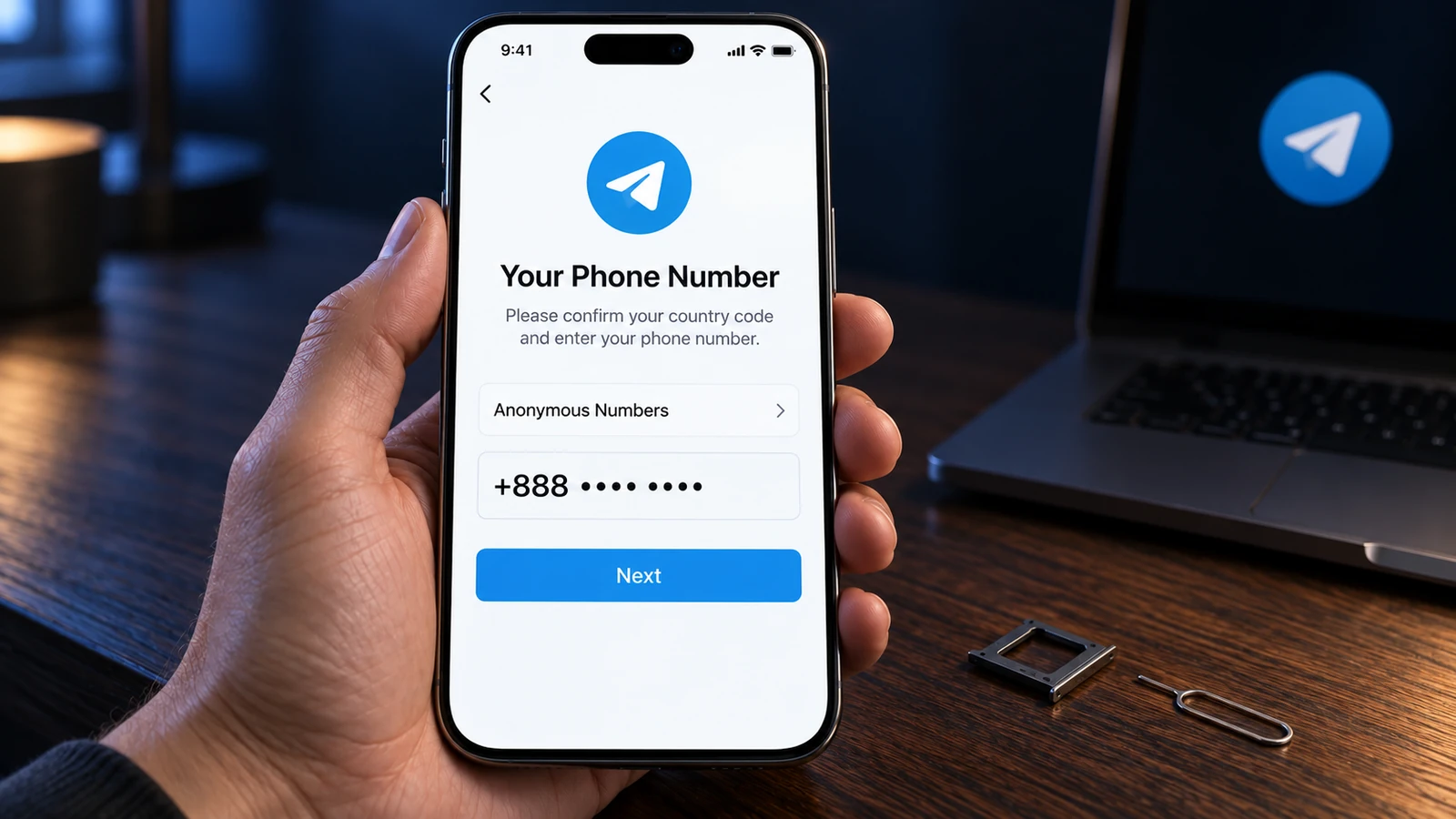
- What a +888 anonymous number on Fragment gives you
- A second SIM or eSIM for long-term use
- Choosing a virtual number for Telegram
- When a ready-made account is simpler than registration
- Compare the five options
- No code, an email request, or a Premium payment screen
- Protect access as soon as you log in
- Common questions
Quick choice: which option fits?
- Keep your current account and hide its number: change your privacy settings.
- Register without a SIM: consider a +888 number on Fragment and its purchase cost.
- Keep a personal account for years: use a second SIM or eSIM with a number you control.
- Use a temporary number: understand rental limits and avoid public SMS inboxes.
- Open a separate account without registering: consider a ready-made account and its dependence on open sessions.
Using Telegram without a phone number: what do you actually need?
Hiding a number, getting a second account, and signing up without your own SIM are different tasks. A username can solve a privacy problem; it cannot replace registration.
If you want clients or group members to contact you without learning your number, keep your account and adjust its visibility. If you want a separate work account, you need another number associated with it. One number corresponds to one Telegram account, even when you use several devices.
If you have no usable number, compare +888, a mobile plan, a virtual number, and a ready-made account. If you already have a number but no code arrives, check the login section below first.
How to hide your phone number on Telegram
You can hide your number from people who do not already know it without changing accounts. By default, Telegram shows it to people you have added to your contacts. In the English Android interface, follow these steps:
- Open Settings > Privacy and Security > Phone Number.
- Under Who can see my phone number?, select Nobody.
- In Who can find me by my number?, select My Contacts. This choice appears after you select Nobody.
- Set a username in your profile and share that instead of your number.
People who already know your number and saved it in their contacts can still see it. These settings do not erase an address book entry someone already has. They also do not remove the number associated with your Telegram account.
What a +888 anonymous number on Fragment gives you
A +888 number lets you register without a SIM card through Fragment. Telegram introduced this option on December 6, 2022. It still assigns a number to the account, so it is not registration without any number at all.
Fragment uses TON, a blockchain network whose cryptocurrency pays for number purchases. A TON wallet is the app or service through which you control those funds and the number. You need a wallet, enough TON, and an available number offered by auction or resale.
Numbers are auctioned in TON and generally cost hundreds of dollars or more. Check current listings on Fragment before deciding; prices change, and old launch coverage is not a current quote.
The login code appears on Fragment after you connect the wallet controlling the number. It does not arrive by SMS. Losing access to that wallet and number can therefore lock you out of Telegram.
“Anonymous” describes a number without a SIM, not a promise that nobody can identify you. TON is commonly purchased through exchanges, which may request identity documents. Choose this option only if you are comfortable managing a wallet and keeping access to it.
A second SIM or eSIM for long-term use
A mobile number you control is the most dependable choice for an account you intend to keep for years. A second SIM separates it from your everyday number. In many countries, obtaining a SIM requires identity documents.
An eSIM is a digital SIM profile installed on a compatible device. Check that the plan includes an actual mobile number and incoming SMS. Many travel eSIMs provide internet access only, so installing one does not automatically give you a number for Telegram.
Read the plan details before starting registration and keep the number active afterward. Telegram does not support landline numbers. A data plan and an internet connection alone cannot replace the required mobile number.
Choosing a virtual number for Telegram
A virtual number may receive a registration code, but acceptance and continued access are uncertain. “Virtual number” covers products with different ownership and reuse rules.
Public SMS inboxes
Free SMS websites publish incoming messages for anyone to read. A stranger can see the same Telegram code you see, and many people may use the number. It may already be taken or be rejected during registration.
Never use a free public number for Telegram. A “fake number for Telegram” still needs to receive confirmation; making up digits cannot complete registration.
Paid temporary numbers
A paid rental may last for one code or a defined period. After it ends, the provider may give the number to someone else, who can then request your login codes. Paying for a rental does not make the number permanently yours.
If you still need a temporary number, check the rental duration and whether later codes remain accessible. Complete the protection steps below as soon as you log in. Change the phone number to your own when you have one.
VoIP numbers in apps
VoIP means calling over the internet; some apps provide numbers for that purpose. Telegram may not accept those numbers, and a provider's general SMS support does not prove Telegram codes will arrive. Do not assume an app subscription solves either problem.
When a ready-made account is simpler than registration
A ready-made account can suit a separate work profile or an account associated with a particular country. DragonSIM supplies already registered Telegram accounts. The catalog lists each batch's country, dialing code, age, price, and availability.
The purchase is a digital product containing login files. Every order includes TDATA, the login data used with Telegram Desktop on Windows, and Session + JSON, session files and account information for compatible software. The format guide explains the distinction. Neither format imports directly into the mobile app.
Payment is in cryptocurrency, and the ZIP download link appears after payment confirmation. You receive no SIM card or email account, and the store does not provide login codes. If two-step verification, Telegram's additional login password, is enabled, that password is in the account folder's 2FA.txt file.
Getting from the files to your phone
Start on a Windows computer, preferably in a separate portable copy of Telegram Desktop. The TDATA login instructions cover opening the supplied account. Confirm that you can access it before starting another login.
- Find the phone number in Telegram Desktop settings.
- On your phone, choose Add Account and enter that number.
- If Telegram sends the code to your open session, read it in Telegram's service chat on the desktop and enter it on your phone.
- If asked for the two-step verification password, use the one supplied in 2FA.txt.
Telegram chooses the available delivery method, so do not assume every request must produce a desktop code. On a Mac, the same initial requirement applies: first open the account through Windows Telegram Desktop or compatible software using Session. Keep that session available for the next login.
The account's number does not belong to you, and you cannot receive its SMS messages. Supplied access relies on codes delivered to an already open session. If all sessions are lost without another working login method prepared in advance, you have no way to obtain another code. Files, passwords, and recovery email alone do not restore access or control of the number.
A ready-made account is unsuitable as your main personal account if you want control through your own number for years. It can fit separate work accounts or multiple accounts without a second SIM, provided you accept that limitation.
Open the account promptly after delivery. If supplied TDATA or Session fails, the supplied password is wrong, or the account is already banned, contact support within 24 hours of delivery. Give the order number; the remedy is a replacement from the same batch or a refund of that account's cost if none remain.
The replacement policy excludes later failures after a working delivery, usage-related restrictions, and changing your mind after downloading. Telegram can restrict accounts for spam or fraud, and replacement does not cover those restrictions.
Compare the five options
The biggest difference is who controls future access to the number. Hiding a number changes visibility only.
| Option | Own SIM needed? | What you need to start | Long-term number control | Main risk |
|---|---|---|---|---|
| Hide your number | Own SIM needed?Keep your current setup | What you need to startAn existing account | Long-term number controlUnchanged | Main riskPeople who saved it can still see it |
| Fragment +888 | Own SIM needed?No | What you need to startTON wallet and a number | Long-term number controlWhile you control the wallet and number | Main riskLosing wallet access |
| Second SIM or eSIM | Own SIM needed?Yes, physical or digital | What you need to startMobile number with SMS | Long-term number controlWhile you maintain the number | Main riskLosing the mobile number |
| Virtual number | Own SIM needed?No | What you need to startAccess to its codes | Long-term number controlDepends on provider and rental | Main riskReassignment or rejected codes |
| Ready-made account | Own SIM needed?No | What you need to startSupplied files and an open session | Long-term number controlNo; supplied access relies on sessions | Main riskLosing every session without a working fallback |
No code, an email request, or a Premium payment screen
A missing SMS may mean Telegram sent the code somewhere else. Check the Telegram service chat on a device where you are already signed in. A newly registered account has no earlier session to check; our new phone login guide covers existing accounts.
Calls are not always available and may require two-step verification. Login attempts for one number are limited per day, so repeatedly requesting another code can stop further attempts until the next day. Follow the app's waiting instructions instead of treating five attempts as a fixed allowance.
Telegram may require a login email and send codes there. It can offer Google or Apple confirmation for that email, sometimes before allowing you to continue. This explains “Telegram sign up with Gmail” claims, but an email address still does not replace the phone number.
An official app may ask you to purchase Premium when SMS delivery is expensive for the country or carrier. Telegram publishes no fixed country list for this requirement. You can pay through the official app, choose another number you control, consider +888, or use a ready-made account with its stated access limitations.
These alternatives do not promise to avoid a payment screen at every login. Install Telegram from its official website or official app stores. Modified apps advertised as “Telegram without number APK” cannot remove the number requirement and put your data at risk.
Protect access as soon as you log in
Protect the account before using it for conversations. These steps cannot turn a rented or supplied number into one you own.
- Set a cloud password, Telegram's additional login password, under Settings > Privacy and Security > Two-Step Verification. Add and confirm your own recovery email for that password. This is separate from a login email used to receive codes.
- Create a passkey under Settings > Privacy and Security > Passkeys. A passkey lets you sign in using your device's PIN or biometrics instead of an SMS code. Introduced in December 2025, it still does not remove Telegram's advice to maintain an active number under your control.
- Review Settings > Devices for active sessions. A session less than 24 hours old cannot terminate other sessions or change the phone number. Respect that wait before making those changes.
- Keep at least one trusted session signed in. A previously configured, working passkey can provide another login route, but the purchase does not promise that route for every account. Recovery email alone cannot replace it or the number.
- Check the inactivity deletion period in privacy settings. The default is 18 months; staying signed in without returning online does not stop deletion indefinitely.
- After temporary registration, transfer the account to your own number when possible: Settings > tap your number > Change Phone Number. Chats and contacts stay with the account. If the destination number already has an account, Telegram requires deleting it first; consider that consequence before proceeding.
For everyday personal use, choose a number you can keep active and recover access to. If privacy is your only concern, start with the settings you already have. For a separate account associated with a particular country, the DragonSIM catalog is another option, provided you can keep a session open and accept that you do not own the number.
Common questions
Can I create a Telegram account without a phone number?
No, every account still needs a number. A +888 number removes the need for a SIM, while a ready-made account already has its own associated number.
Can I sign up with Gmail or email instead?
No, Gmail cannot replace the number during registration. Telegram may use email to deliver login codes for an account that already has a number.
Are free virtual numbers safe for Telegram?
No, public SMS inboxes expose verification messages to other visitors. The same number may also be reused, already assigned, or refused by Telegram.
Can I use a landline?
No, Telegram does not support landline numbers. Choose a mobile number with the necessary code delivery or consider the separate +888 option.
Why does Telegram say “too many attempts” after I requested several codes?
You may have reached the daily login attempt limit for that number. More requests will not remove the wait; follow the app's instructions and try again when allowed.
Does a virtual number service keep my number after its rental ends?
That depends on its terms, so assume nothing beyond the period you rented. If it reallocates the number, another person can request login codes for the associated account.
Will hiding my number stop someone who already saved it from recognizing me?
No, the setting cannot remove a number already stored in another person's contacts. Share a username for new conversations, while keeping that existing-contact limitation in mind.
Sources
- Telegram FAQtelegram.org/faq
- Telegram: sign up without a SIM cardtelegram.org/blog
- Fragment anonymous number listingsfragment.com/numbers
- Telegram authorization documentationcore.telegram.org/api/auth
- Telegram Premium requirement for code deliverycore.telegram.org
- Telegram: passkeys and gift offerstelegram.org/blog
- Telegram number change restrictionscore.telegram.org
- Telegram session termination restrictionscore.telegram.org