
Telegram not sending a verification code? Find the right sign-in route
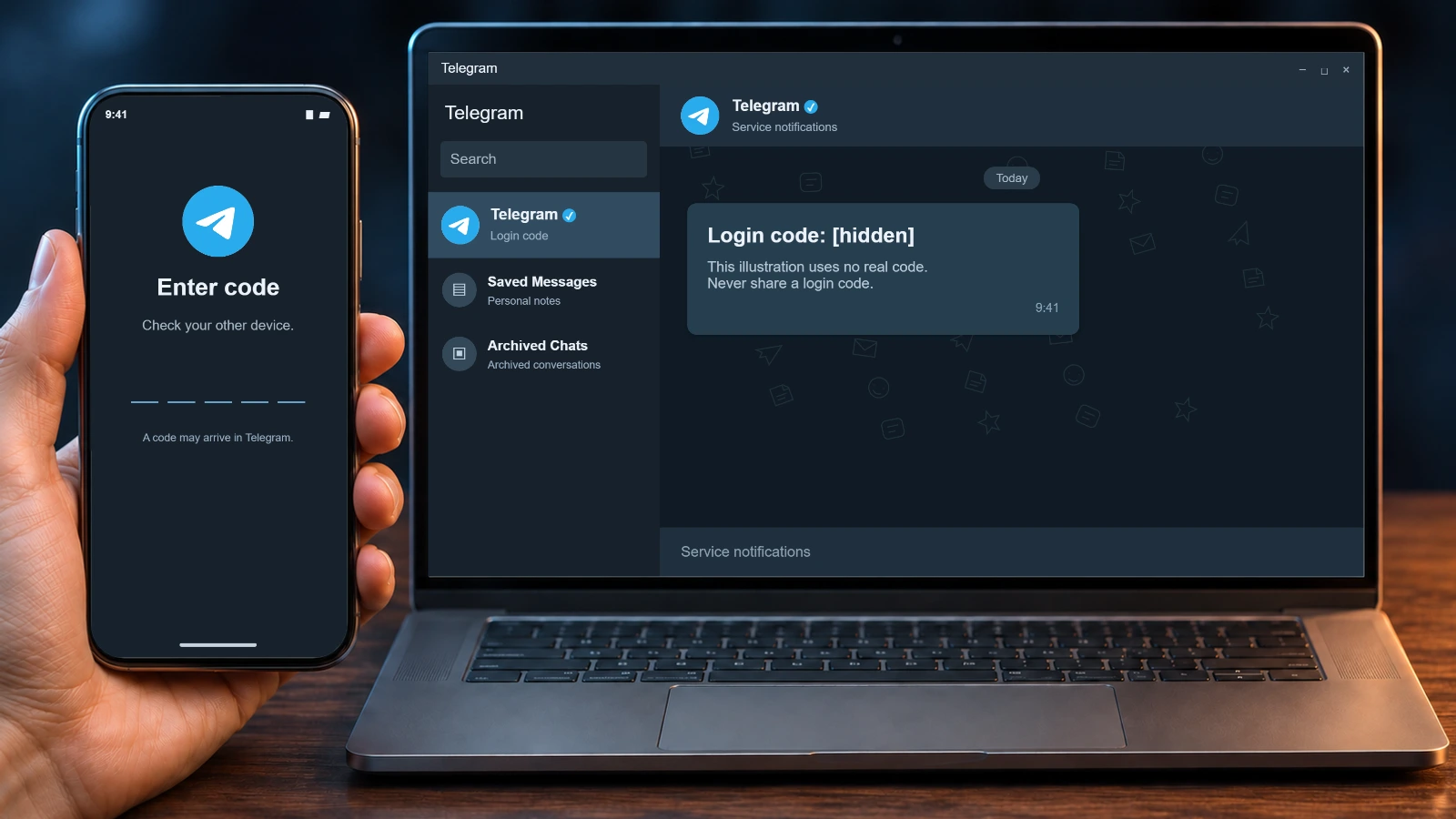
When your Telegram verification code does not arrive, check the delivery method shown on the sign-in screen before requesting another one. Telegram may send a code to an existing session, an email address, or a phone number. The options presented depend on the account and the app.
Keep every session that still works. Signing out or reinstalling on your last connected device can leave you without that way back in. Here is how to narrow down the problem without assuming that an SMS is on its way.
Jump to a section
- Start with the message on your screen
- Look in an existing Telegram session
- SMS or phone call: verify the number first
- The screen asks you to check email
- Fragment numbers use a different route
- The code arrived but was rejected
- Too many attempts: stop and follow the timer
- No access to the previous device or the phone number
- Payment requests and other messages are different problems
- A new account will not recover the old one
- Common questions
Start with the message on your screen
| Your situation | First check |
|---|---|
| Telegram says it sent the code to another device | First checkOpen the verified Telegram service chat in an existing session. |
| The screen names an email address | First checkOpen that mailbox and check the spam folder. |
| The app offers an SMS or a call | First checkConfirm the international number and that the SIM can receive messages or calls. |
| Too many attempts | First checkStop requesting codes and follow the displayed timer, if there is one. |
| Neither the number nor a session is accessible | First checkAsk the carrier about recovering the number and contact Telegram support. |
An expired timer does not promise an SMS or a call. Use only the next option that your own screen actually offers.
Look in an existing Telegram session
Check your old phone, tablet, computer and browser. You might also be signed in through another Telegram app on the same device. Open the verified chat named Telegram and look for the latest sign-in message. A missing notification alone does not mean the message is absent.
Do not confuse that service chat with Verification Codes. The latter receives codes for third-party services, not the code used to sign in to your Telegram account. Never give a Telegram login code to another person, including someone claiming to be support.
An existing session can help today, but Telegram warns that you should keep control of the associated phone number. If you have changed numbers and can still open the account, check the option to update the number in Telegram settings before you lose access to the old one.
SMS or phone call: verify the number first
Compare the full number on the sign-in screen with the SIM you control. Enter it in international format: a plus sign, country code and number. If your phone has two SIMs, confirm that the right line is active. When travelling, check whether your carrier allows the relevant messages and calls while roaming.
Ask the carrier whether the line can receive messages and calls. Receiving a text from a friend is a useful basic check; it does not prove that every sender's messages will reach you. If the number was rented or temporary, establish whether you still control it. Public SMS inboxes expose incoming codes to other people.
Call delivery is conditional. Telegram says that login calls may be unavailable for some carriers or require two-step verification. Having that password enabled does not guarantee that a call will be offered on your current screen.
The screen asks you to check email
Open the mailbox indicated by Telegram and inspect its spam folder. If you use more than one email address, make sure you are checking the address used for login on this account. A login email and the recovery email for a forgotten two-step verification password are separate settings; one does not prove the other is configured.
After you enter a valid code, Telegram may ask for your two-step verification password. That is the password you set for the account, not the code that arrived by email. Do not share either value.
Fragment numbers use a different route
Telegram can send a code for certain anonymous numbers through Fragment. If that is the method shown to you, follow the address presented by the app and use the wallet associated with the number. This does not make Fragment a general inbox for ordinary phone numbers. Losing access to the wallet can also put access to that number at risk.
The code arrived but was rejected
Check whether the message belongs to the account and sign-in attempt on your screen. If you requested a newer code, use the latest message and follow the app's instructions. Do not enter random guesses or forward the code through a third-party service. If a limit message appears, stop retrying and observe any timer shown.
Too many attempts: stop and follow the timer
Repeated code requests or password attempts can trigger a temporary restriction. Stop making attempts and follow the countdown if Telegram displays one. There is no verified universal waiting time for every type of restriction, so a promise that all accounts unlock after exactly 24 hours would be misleading.
Reinstalling the app is not a reliable way to remove a server-side limit. Keep your existing session instead. Logging out can also remove secret chats from that device; those chats are not restored like cloud chats.
No access to the previous device or the phone number
Look for a still-open Telegram Desktop or web session before giving up. If you lost the SIM, ask your carrier whether it can restore the same number to a replacement card. The answer depends on the carrier and who currently controls that number.
If neither a session nor the number is available, use Telegram's official support form (telegram.org/support). Give the number in international format and describe what the sign-in screen says. Do not send login codes, passwords or session files. Support response times and account recovery cannot be guaranteed.
QR login needs an already authorized device to approve the new one. A passkey can help only if you set one up beforehand and can access it through the relevant device or password manager. Neither route creates an authorized session after all access has been lost.
Payment requests and other messages are different problems
Under some conditions, an official Telegram app may ask for a paid SMS verification flow. Read the offer in the app and see our SMS fee guide for its conditions. A payment demand does not mean every missing code requires payment.
A banned-number message, a frozen account and a messaging restriction are also different states. Record the wording and use guidance for that specific screen rather than treating all of them as delayed texts.
A new account will not recover the old one
If you need a separate account for a new project, you can review the DragonSIM catalog and check the access conditions before ordering. A new account does not bring back the old account's conversations or contacts. Continue the carrier and support routes if your goal is to recover the original account.
Common questions
Why is Telegram not sending my code by SMS?
It may have chosen an existing Telegram session or a configured login email. If the screen says an SMS was sent, check the number, SIM and any alternative the app actually offers.
Can I get the code by email?
Telegram can use a configured login email for some accounts. It is not a universal substitute for the phone number.
Is the login code the same as my two-step verification password?
No. The code confirms a sign-in attempt; the password is a separate secret you set on the account. Telegram may ask for both.
How long does the attempt limit last?
Follow the countdown shown in your app. Telegram does not provide one confirmed duration for every login restriction.
Will reinstalling fix the problem?
It does not reliably clear a server limit or make an SMS arrive. Avoid reinstalling on the last device with an active session.
Can I scan a QR code without another logged-in device?
QR approval needs an existing authorized Telegram session. Check the other options your app offers if you do not have one.
What if a code arrives that I did not request?
Do not share it. If you can open the account, inspect the device list and terminate unfamiliar sessions.
Can I recover an account after losing both the SIM and all sessions?
Ask the carrier whether it can restore your number and contact Telegram support. The outcome depends on your circumstances and is not guaranteed.
Official sources
- Telegram FAQtelegram.org/faq
- Authorization methodscore.telegram.org/api/auth
- Request limitscore.telegram.org/api/errors
- QR logincore.telegram.org/api/qr-login
- Telegram passkeystelegram.org/blog
- Telegram supporttelegram.org/support