
Telegram account frozen: what it means and how to appeal
Jump to a section
What the freeze notice says
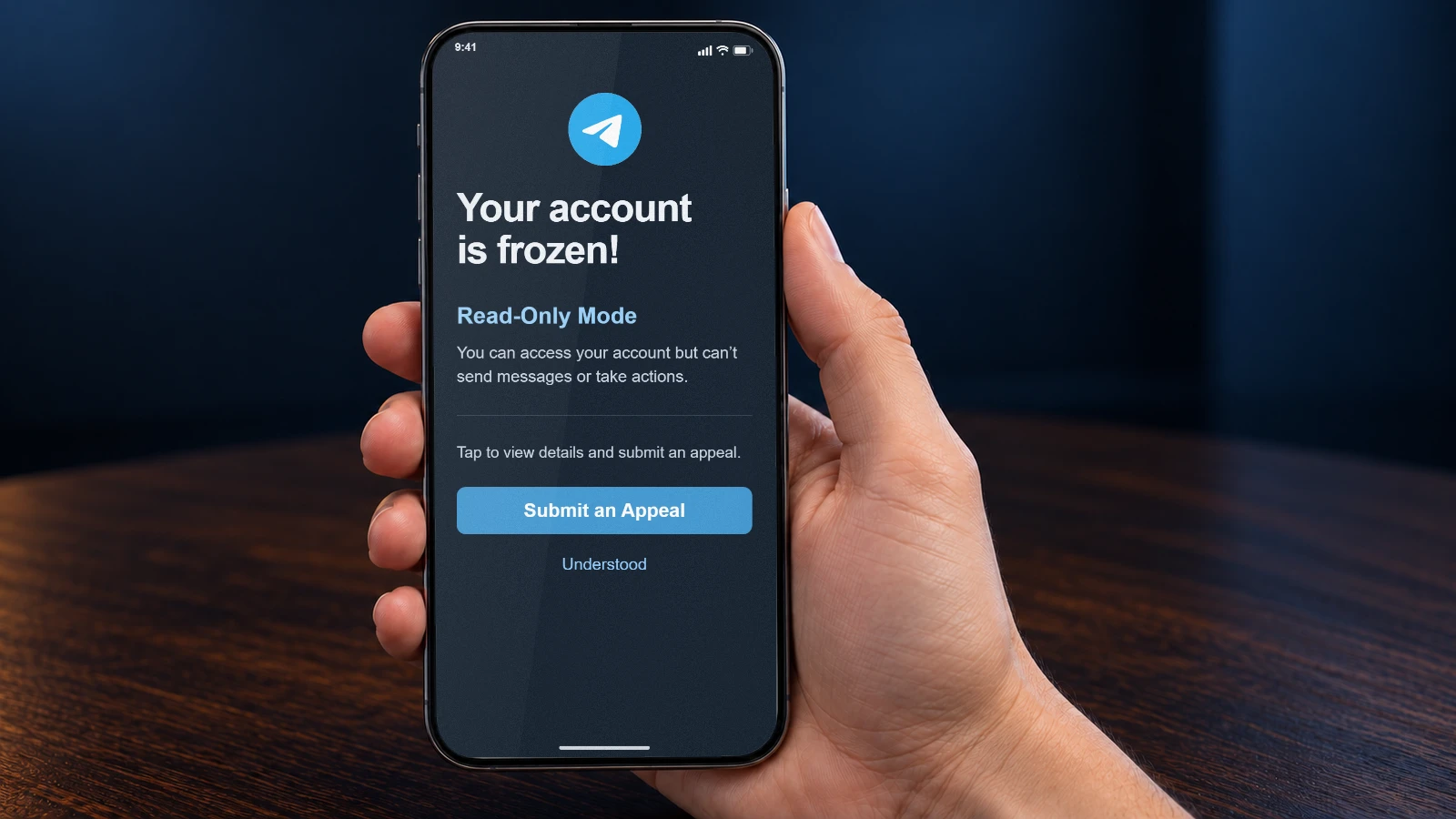
A frozen account was restricted after reports from other users. The official FAQ describes the result in plain words: chats stay readable, while sending messages and posting content stop. The app adds a notice when this state begins.
That notice carries the next step as well. In the official English interface it names the reason, the read-only mode and an appeal control. The notice itself says the account was frozen for a violation of Telegram’s terms, and the FAQ adds that freezes follow reports from other users. If you believe this was a mistake, you can appeal for moderators to review the case. Layout and wording differ between clients and versions, so read your own screen rather than a screenshot from a stranger.
Telegram announced frozen accounts and in-app appeals on April 30, 2025. The blog post also states that the decision belongs to moderators.
The date in your notice is a deletion deadline, not the end of the freeze
The date on the screen is easy to misread. It does not mark the day the freeze lifts by itself. The API documentation ties that date to deletion: the account is deleted after a certain amount of time unless an appeal is submitted and accepted.
So the date is your limit for appealing. It is not a promised review time. The official guidance gives no standard review time or success rate. A number in another article is not a deadline for your account.
Step 1. Open the notice
Tap the freeze banner in the chat list and open the details. The banner usually says that the account is frozen and invites you to view more.
What you should see: You see the reason line, the read-only line and the appeal control.
Step 2. Note your own date
Find the line that names the day and copy it into your calendar. Inside the appeal section the official string reads: appeal before the shown date, or the account will be deleted.
What you should see: You know the deadline from your notice and do not depend on a general number from an article.
Step 3. Start the appeal where the screen says
Press Submit an Appeal. If your screen offers a link to @SpamBot instead, open that link and write there. Both are described by official sources; do not look for a private profile that promises to help.
What you should see: You are in the official channel that Telegram documents for a frozen account.
What to write in the appeal
Write briefly and about your own account. Moderators need facts they can check, not a long letter. Use a language you can be precise in, even if the interface is in another one.
- What you use the account for, in one sentence.
- What you were doing shortly before the notice appeared.
- Which devices or sessions normally open this account.
- Anything the official form asks for, such as a contact address.
A shape to follow, not a script: what the account is for, what happened before the notice, and what you have already checked. A few sentences are enough, and guesses about the decision do not help.
Do not send login codes, a cloud password, session files or QR screenshots. The official FAQ treats every bot as a stranger and says passwords and Telegram codes should never be handed over, even on a polite request. An appeal never needs them.
The same rule covers a person who offers to write the appeal for you: never hand over login data to them.
Frozen, limited, banned, or just waiting
Four states look alike from the outside and need different actions. Only one of them is a freeze with an appeal date.
Frozen account
- What it means
- Read-only after reports. The notice offers an appeal and names a date.
- What it does not mean
- It is neither a spam limit nor a ban of your phone number.
Use the appeal control in the notice before your date.
Limited account
- What it means
- Telegram limited messaging after spam reports. You can write to people who saved your number and reply to anyone who wrote first.
- What it does not mean
- This is not a full freeze, and the few days mentioned for a first limit are not an appeal deadline.
Wait out the limit, or write to @SpamBot if you think it was a mistake.
Phone number banned
- What it means
- Signing in returns the error PHONE_NUMBER_BANNED for that number.
- What it does not mean
- A banned number is a different event from a frozen account with an appeal screen.
Read the exact error text before you search for an appeal.
FLOOD_WAIT
- What it means
- A 420 error with a number of seconds: a request was repeated too often.
- What it does not mean
- The number 420 by itself does not prove the account is frozen.
Wait the stated seconds, then try once more.
The API keeps these situations apart with different errors. A frozen account has its own error family, and the FLOOD section describes rate limits, not account states.
After you send the appeal
Sending an appeal and having it accepted are two different events. The documentation describes deletion as prevented when an appeal is submitted and accepted, so submitting an appeal alone does not guarantee that the account will be kept.
The outcome depends on the moderators. The FAQ says a mistake leads to the account being unfrozen, and the announcement says restrictions are lifted if the appeal succeeds. Neither text promises that every appeal succeeds.
Paid unfreeze offers and requests for codes
A freeze is a stressful moment, and that is what such offers rely on. Two warning signs are worth checking: who controls the account, and whether money buys an outcome the official sources do not describe.
Keep control of the account
- Submit the appeal inside Telegram, on the screen that names your date.
- Keep login codes, the cloud password and session files to yourself.
- Open @SpamBot through the link in the freeze notice. Do not use a similar-looking username sent by someone else.
Walk away from these
- A guaranteed unfreeze for a payment, in crypto or otherwise.
- A request for a code, a password, a QR screenshot or your session folder.
- A modified client or a script that promises to remove the restriction.
Payment does not create a channel that the app does not show. Telegram’s official guidance describes appeals reviewed by moderators. It does not describe a paid fast track or support a promise of guaranteed restoration.
Common questions
What does a frozen Telegram account mean?
It is a read-only state that follows reports from other users. According to the official FAQ you can still read chats, but you cannot send messages or post content. The app offers an appeal, and moderators review the case.
How long does a frozen account stay frozen?
Telegram publishes no review period, so there is no reliable number. The date in your notice is the deletion deadline that applies unless an appeal is submitted and accepted. It is not a promised end of the freeze.
Will Telegram Premium unfreeze my account?
No such mechanism is documented. Telegram mentions Premium only for one kind of rate-limit wait, FLOOD_PREMIUM_WAIT_X. Frozen accounts have their own appeal, and subscription does not replace it.
Does a submitted appeal protect the account?
The documentation ties the prevention of deletion to an appeal that is submitted and accepted. Sending the form is the first half; the decision is the second. A sent appeal is not the same as a granted one.
How is a freeze different from a spam restriction?
A limited account can still write to people who saved its number and reply to anyone who wrote first. A frozen account is read-only, and its notice carries an appeal date. The few days mentioned for a first spam limit do not apply to a freeze.
I cannot send messages but see no freeze notice. What now?
A symptom alone cannot diagnose a freeze. Check the exact error, your connection and any limit the app shows. A missing notice does not prove that the account is fine either.
What if the deadline has passed or the button is missing?
Telegram documents the appeal through the screen inside the app, and the official material reviewed here does not describe another way to reopen the deadline. Be careful with paid promises at this point.
Who reviews the appeal, and is a positive outcome guaranteed?
Telegram moderators review it, as both the FAQ and the announcement state. The outcome is theirs to decide; no official text promises a particular result or an average success rate.
Does a new account restore my chats?
No. A different account has its own number, contacts and history. It does not return the conversations of the frozen account, so it cannot serve as a recovery route.
Official sources
- Telegram FAQ: what is a frozen accounttelegram.org/faq
- Telegram API: frozen accounts, dates and the appeal URLcore.telegram.org/api/auth
- Telegram FAQ: spam reports and temporary limitstelegram.org/faq_spam
- Telegram announcement: appeal account restrictions, 30 April 2025telegram.org/blog
- Telegram interface strings: the frozen account noticetranslations.telegram.org
- Telegram API: sign-in errors, including a banned numbercore.telegram.org/method/auth.sendCode
- Telegram API: 420 FLOOD and waiting timescore.telegram.org/api/errors
- Telegram FAQ: bots and login codestelegram.org/faq