
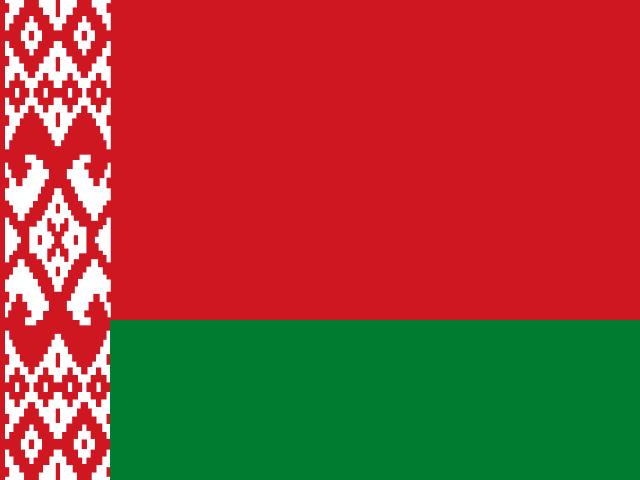
Belarus +375 Telegram accounts with full login files
TDATA & SESSION + JSON$1.70/ account
This package is currently out of stock. Check back soon.
In stock right now


Countries with stock are listed first.
Open the catalogBelarus +375 Telegram accounts with a full set of login files. Keep BY-facing roles apart from Russian +7 work: every account comes in its own folder as TDATA with Session + JSON; price and stock sit on the card.
Total$1.70
Every order includes both formats: TDATA works with compatible Telegram Desktop apps, Session + JSON with compatible software; they are not imported into the mobile app directly. There is nothing to choose at checkout. Which format do I need?
We do not provide login codes. You cannot sign in to Telegram on a Mac right away: first open the account in Telegram Desktop on Windows or in software using the Session file, then sign in on the Mac.

- 3+ daysaccount age
- Instant ZIPafter payment confirmation
- 24-hour replacementif it doesn't work on arrival
- Crypto checkoutsecure hosted page
Included in ZIP
- TDATA archive for every account
- SESSION file(s) for every account
- JSON metadata for every account
- One clean folder per account
- README: usage and support notes
Delivery & usage
Product details
- Country: Belarus +375
- Format: TDATA & SESSION + JSON
- Account age: 3+ days
- Replacement: 24 hours from delivery if the account doesn't work on arrival. Replacement rules
- Delivery: automatic ZIP after payment confirmation
- Packaging: one unique folder per account
Belarus +375 next to Russia +7
Here you can buy ready Telegram accounts with a Belarus +375 number: the account itself is already registered, and the sign-in files are the goods. Nothing physical ships, and it is not a rental.
The catalog keeps the two directions apart on purpose, because they serve different audiences. This page covers Belarus; Russia has its own +7 page in the same catalog.
What arrives in the order
After your payment is confirmed, a personal link opens and you download one ZIP archive. The archive gives every account a separate folder. Inside are the two parts of the sign-in set: TDATA, the folder Telegram Desktop understands, and the Session + JSON pair for tools that work with sessions. Nothing needs setting up on your side: unpack, and the account is in front of you.
First sign-in: TDATA or Session + JSON
To sign in from a computer, give Telegram Desktop, regular or portable, the untouched TDATA folder, and the account opens signed in; you will not be asked for the number. Session and JSON are what scripts and bots load, and your tool gets a trial run with one account before you commit to a bigger order.
Checking the order
Once you buy Belarus Telegram accounts, run a quick check on the first one:
- sign in the way you plan to work, with TDATA at a desktop machine or Session + JSON inside your own tool;
- confirm the profile number starts with +375;
- keep the ZIP as it downloaded, since a move to another machine or a support request will need it.
When the first account opens the way it should, move on to the rest.
How to buy Belarus Telegram accounts
Set the number of accounts on the card, add the product to the cart, then pay in crypto on the provider's page. The link that appears after confirmation belongs to you alone. Buying several Belarus +375 Telegram accounts at once works the same way: the quantity discount is applied to the total automatically.
Separate roles for separate markets
Operators who buy Telegram accounts for Belarus +375 often run the Russian +7 product next to it: one identity talks to the local audience while another covers a different market. One account per role keeps the boundaries clear for you and for the people who write to you.
Stock and support
Next to the buy button, the card tracks the stock that is left, the batch's age and the price for a single account, and it keeps all three current. A zero means there is nothing to sell right now, and the card offers alternatives from the catalog. If an account will not open or a file is missing, keep the archive and the order number and contact DragonSIM support within the window the store rules allow. When a tool of yours throws an error, try the same account in Telegram Desktop before drawing conclusions.
Frequently asked questions
How do you buy Belarus Telegram accounts?
Set the number of accounts on the card, move the product into your cart and pay in crypto at the provider's checkout. After the payment goes through, a personal link on the order page opens the archive. For several accounts, the quantity discount is applied to the total automatically.
What does the Belarus +375 package include?
A single ZIP archive, with a separate folder for every account. The folder holds TDATA for Telegram Desktop alongside the Session + JSON pair for session-based software.
Is this different from a Russian +7 account?
Yes: these are two separate products. Belarusian Telegram accounts carry numbers starting with +375 and serve a Belarus-facing audience, while the Russian side has its own +7 page.
Should I use TDATA or Session + JSON to sign in?
TDATA is for Telegram Desktop: drop in the full folder and the account shows up already signed in. Session and JSON are for your own scripts and bots, after a one-account test.
Can I change the linked phone number later?
Telegram lets you replace the linked number from the app's settings; that step happens inside the messenger and is not part of this order. After a change, the profile stops showing a +375 number.
Where can I see the price and the stock?
On the card, next to the buy button, with the batch age beside them. A zero means no accounts are available at the moment, and the card lists alternatives from the catalog.
You may also like

Need help?
- Automatic delivery within seconds after payment confirmation. Delivery
- Your order is reachable only through its private link; files are never published. Order protection
- Support aims to answer within one business day and can re-issue links after verification. Support
- If an order cannot be completed, the refund policy applies. Refund policy